Keyword + AI page analysis
Deep on-page technical and content analysis from a URL and keywords (SEO Spider flow).
Try free nowFree to start · Web app
Run free SEO analysis with Spindora: detect meta title, meta description, H1–H6, schema, canonical, and indexing issues via single-page or full-site crawl. Grow search visibility with SERP analysis, keyword volume, and rank tracking—AI-powered reports list priority technical SEO fixes in minutes.
Sign in nowUse a free account to access the dashboard and manage quotas.
Instant check
Enter a URL and review title, meta, schema, and headings in seconds.
Free SEO analysis
Free SEO analysis is a diagnostic process that measures on-page and technical SEO health for a URL or domain. It goes beyond “is there a meta tag?”—heading flow, content quality, technical errors, canonical consistency, schema validity, and H1–H6 hierarchy are evaluated together. On Spindora you start with the quick URL check above, then move to deeper crawls and report history in the dashboard after sign-in. A solid free analysis acts like a prelude to a paid audit by surfacing priorities and low-effort fixes early.
Try freeTechnical SEO
Dashboard page analysis combines titles, meta descriptions, canonicals, robots, viewport, language tags, and structured data in one report. GEO analysis shows how AI tools read your site; performance testing measures asset weight and UX-related signals. Full-site crawl produces prioritized domain-wide issues; sitemap and robots.txt tools live in the same account. You get findings ranked by impact—not a shallow checklist—and free-tier screens are backed by real crawl data.
Open dashboardKeywords & SERP
Monthly keyword volume adds numeric context for content and campaigns—it should be read with intent and competition, not as a number alone. Keyword site tracking monitors pages for selected queries over time. SEO SERP analysis combines snippets, technical signals, and previews for a target query and URL. Keyword competitor analysis compares two URLs on the same term side by side. These modules sit in one Spindora dashboard instead of separate subscriptions; monthly quotas are shown transparently on your plan screen.
Get started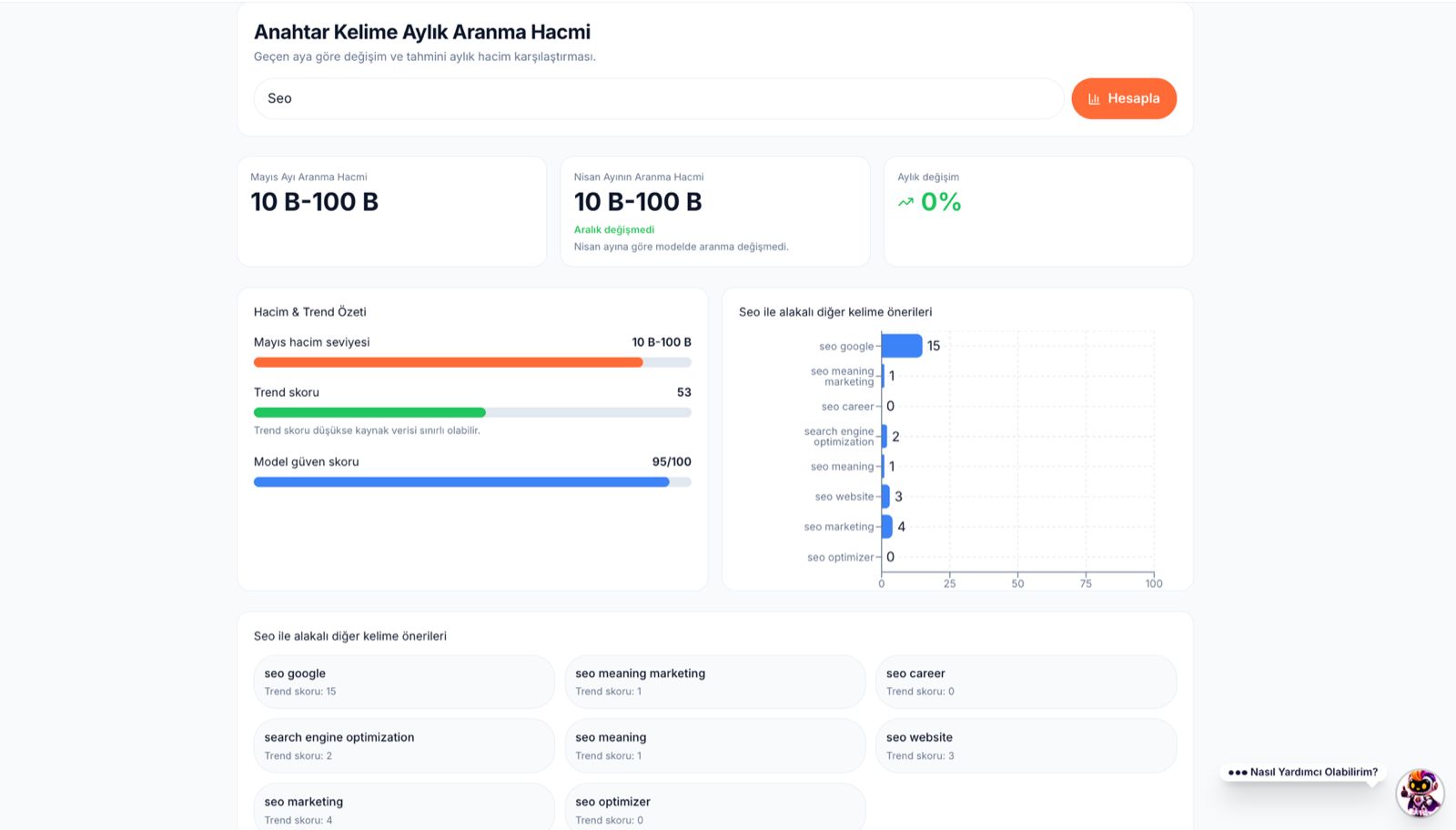
Full site & productivity
Run a full-site crawl for domain-wide audits—duplicate titles, broken links, redirect chains, and indexing risks prioritized for you. Automatic SEO fixes (Script Injector), the SEO content generator, title/description helpers, and SEO-friendly URL tools turn findings into action. Competitor analysis, ZIP project scans, and broken-link checks are in the same control panel. The free plan includes monthly allowances; upgrade when you need higher limits. Schedule periodic crawls and post-publish page checks for sustainable SEO.
Sign up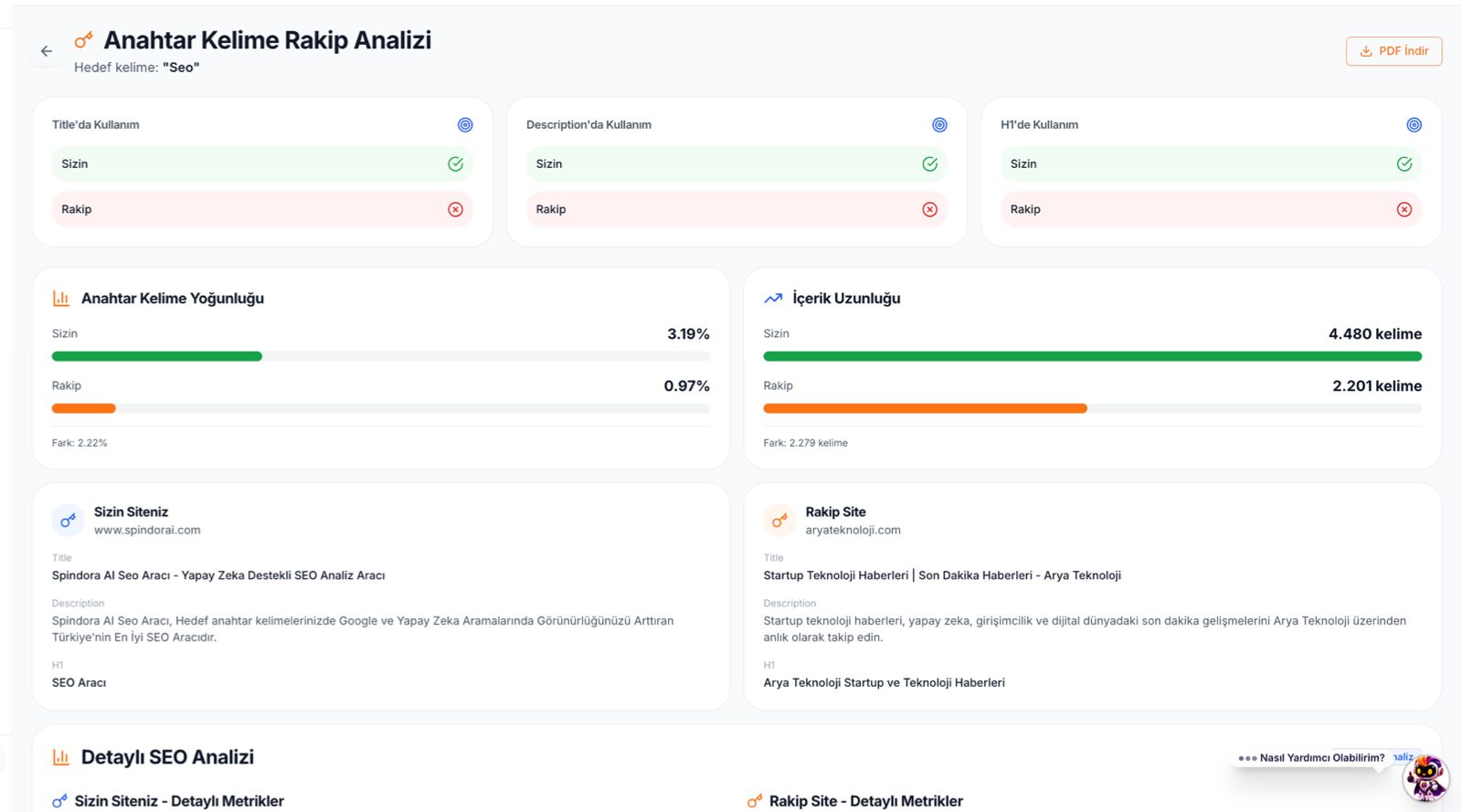
Getting started
Create a Spindora account or sign in to access page analysis, full-site audits, SERP, keyword tracking, and productivity tools from the dashboard. Track allowances in “My quota” and subscription screens. Free SEO analysis highlights priorities—it does not auto-fix everything; automation and generation features are quota-based. Your data stays tied to your account with history and projects stored in the panel. When you are ready, sign in and start your first report or crawl.
Sign in nowPlatform
These tools are available after sign-in from your dashboard; quotas depend on your plan.
Deep on-page technical and content analysis from a URL and keywords (SEO Spider flow).
Try free nowTrack pages for selected queries with scheduled crawls.
Try free nowQuery + URL SERP signals and preview interpretation.
Try free nowVolume estimates for content and campaign planning.
Try free nowDomain-wide audit, prioritized findings, and history.
Try free nowAsset weight and UX-focused performance signals.
Try free nowGenerate and edit sitemap and robots.txt.
Try free nowScript Injector flows for applying fixes from findings.
Try free nowAI-assisted content and improvement suggestions.
Try free nowSlug and URL structure helper.
Try free nowMeta title and description generation.
Try free nowSide-by-side technical and content comparison for two URLs.
Try free nowDeep signals for both sides with a target keyword.
Try free nowUpload a project archive and crawl the codebase for SEO issues.
Try free nowCost comparison
Replace scattered subscriptions with one Spindora SEO Spider dashboard — plans from $4.38/month.
Old stack · Hello Spindora
Ahrefs
Backlinks & keywords
SEMrush
Competitor analysis
Screaming Frog
Site audit
Surfer SEO
Content optimization
Junia AI
AI SEO content
Moz Pro
Authority & keyword research
 One platform
Your full SEO workflow on Spindora — one screen, one payment.
Spindora monthly
Varies by plan · USD
from $4.38
The free plan has monthly quotas and a defined feature set. Paid plans add higher limits, advanced reporting, and priority support. Core quality standards stay consistent.
Full-site crawl, SERP, keyword tracking, productivity tools, and ZIP project analysis are in the dashboard after login. Page analysis also runs against your account quotas.
Page-level checks are fast; full-site crawls depend on size and server response. Progress is visible in the dashboard.
Sign in and run your first page analysis or full-site crawl from the dashboard.