Auto-fix & technical SEO
Automatic SEO fixer, technical analysis, indexability, and schema suggestions — on-page issues in one flow.
Chrome Web Store • Developer tools
On any open page, run technical SEO, GEO and GEO content analysis, SERP preview, indexability, automatic SEO fixer, schema suggestions, backlink and performance checks in one Chrome panel. Premium modules add keyword technical analysis and competitor comparison — free to start, no quotas.
Completely free and unlimited.
Modules
Each block pairs a real UI screenshot with a summary of what that module analyzes (zigzag layout). Every check runs on the active page.
Extension module · 01
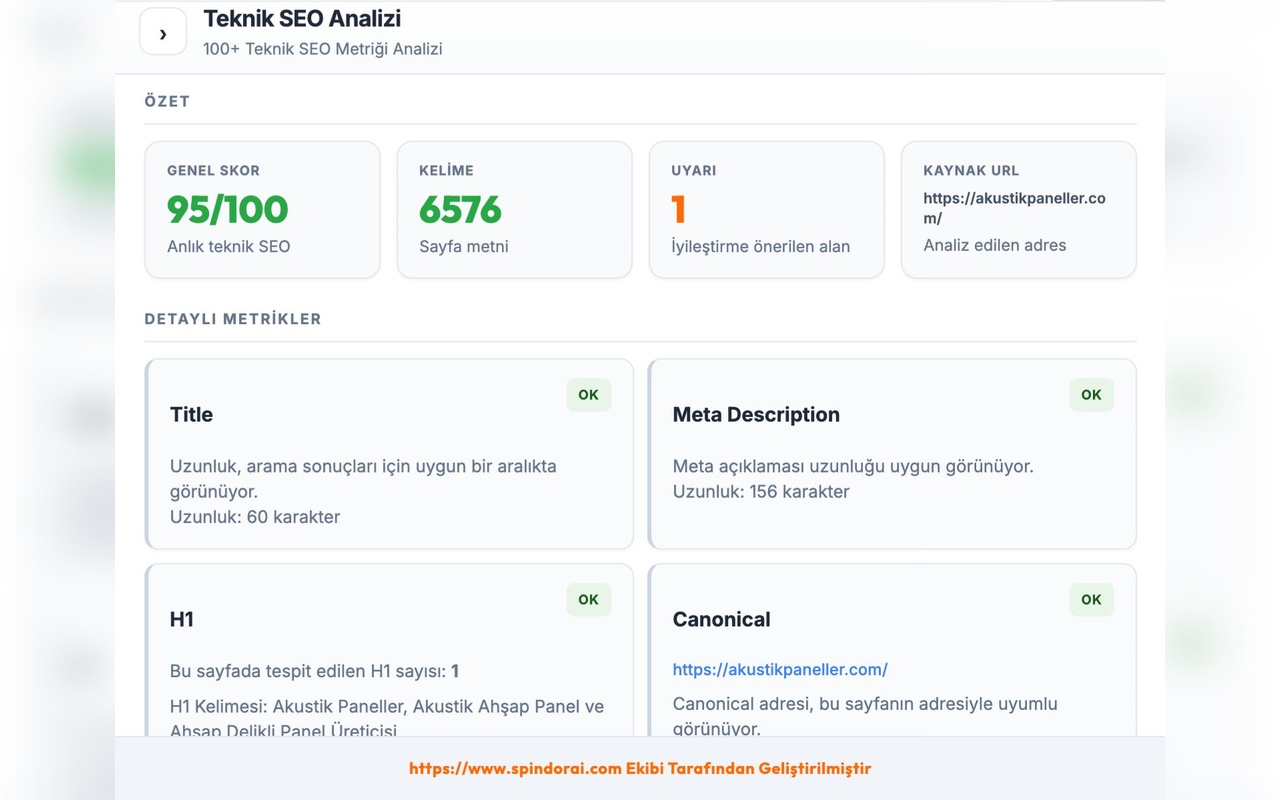
Spindora Automatic SEO Fixer does more than list on-page issues on the page you visit — it turns findings into action with Script Injector flow and actionable fix suggestions. Warnings for meta title and description length, H1 inconsistencies, canonical drift, missing schema fields, and critical technical issues are ranked by priority. Ideal for agencies, content teams, and site owners: see which fix delivers the highest impact without switching CMS or dashboard. The module is completely free and unlimited; preview and approval always stay with you before applying to production. It replaces repetitive manual checklists and creates a pre-publish quality gate in minutes.
Add to Chrome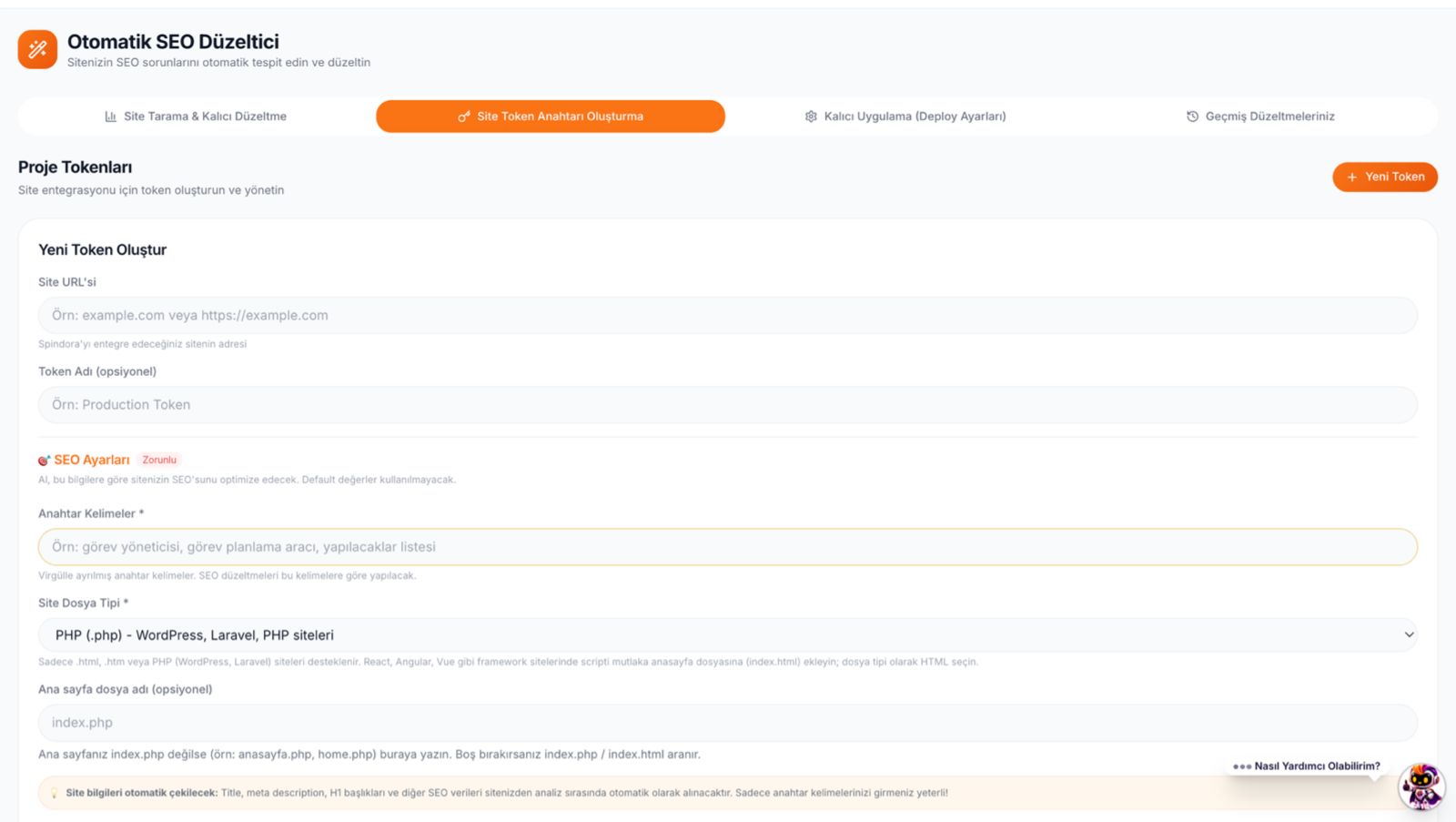
Extension module · 02
The Technical SEO module brings the core of a professional site audit into the browser: title and meta length/fit, single or multiple H1 warnings, canonical–URL alignment, word count, Open Graph summary, detected schema types, images missing alt text, and a live technical score on one screen. It goes far beyond “is there a meta tag?” — each signal includes why it matters and what to do next. Because it runs per URL, you get instant results on staging, live, or client sites. Free with no quotas. Technical teams catch surprise errors before publish by replacing daily spreadsheets with the extension.
Add to ChromeExtension module · 03
The Indexability module clarifies whether search engines can actually crawl and index your page. Robots meta, X-Robots-Tag, noindex/nofollow combinations, canonical chains, and possible indexing blockers are summarized in one report. It is critical for new landing pages, campaign URLs, or product pages accidentally closed to search. Accidental noindex is one of the most common causes of traffic loss — this module makes it visible in seconds. Offered as a New Feature and free. Used with Technical SEO, you evaluate both signal quality and visibility risk in the same session.
Add to ChromeExtension module · 04
GEO (Generative Engine Optimization) analysis measures how AI search and summarization systems interpret your page, beyond classic ranking metrics. Structured data integrity, heading clarity, information density, and content structure are scored for citation potential in AI snippets. Especially designed for information-heavy sites, SaaS documentation, and expert content. It works alongside GEO Content Analysis for technical and textual layers together. Free to use. It lets you test non-Google visibility channels early in your SEO strategy; results are generated instantly for the URL you visit.
Add to Chrome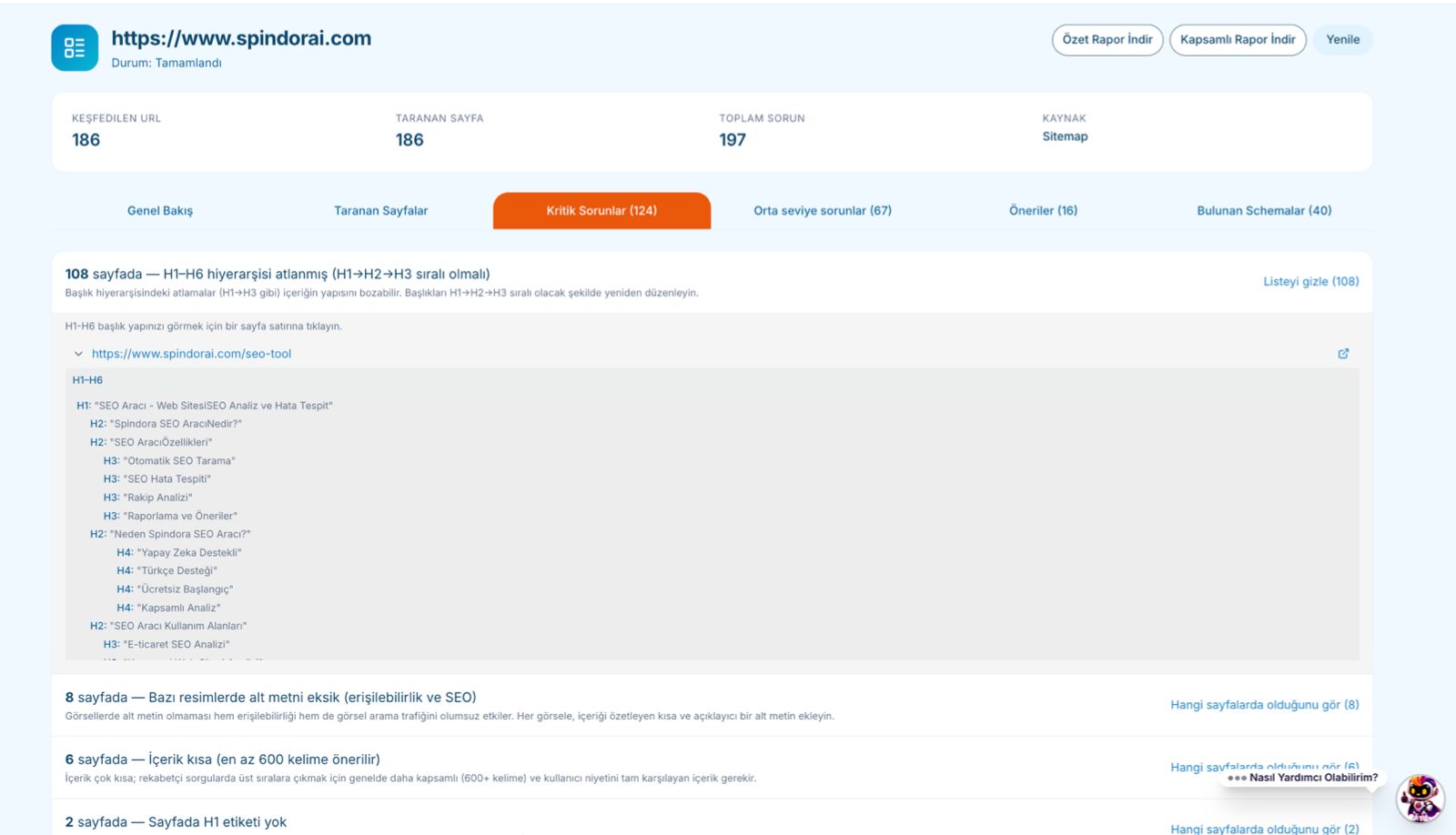
Extension module · 05
SERP Analysis simulates how your page might appear in search results when you enter a target keyword. Snippet length, title–query fit, description overflow, and competitive feel are collected in one panel. It answers “how will this look in SERPs?” with data before you rewrite content, update meta, or launch a new landing page. Agencies demo on live URLs; e-commerce teams quickly test category pages. A free module. Used after Technical SEO and content analysis, appearance and technical fit stay in one workflow.
Add to Chrome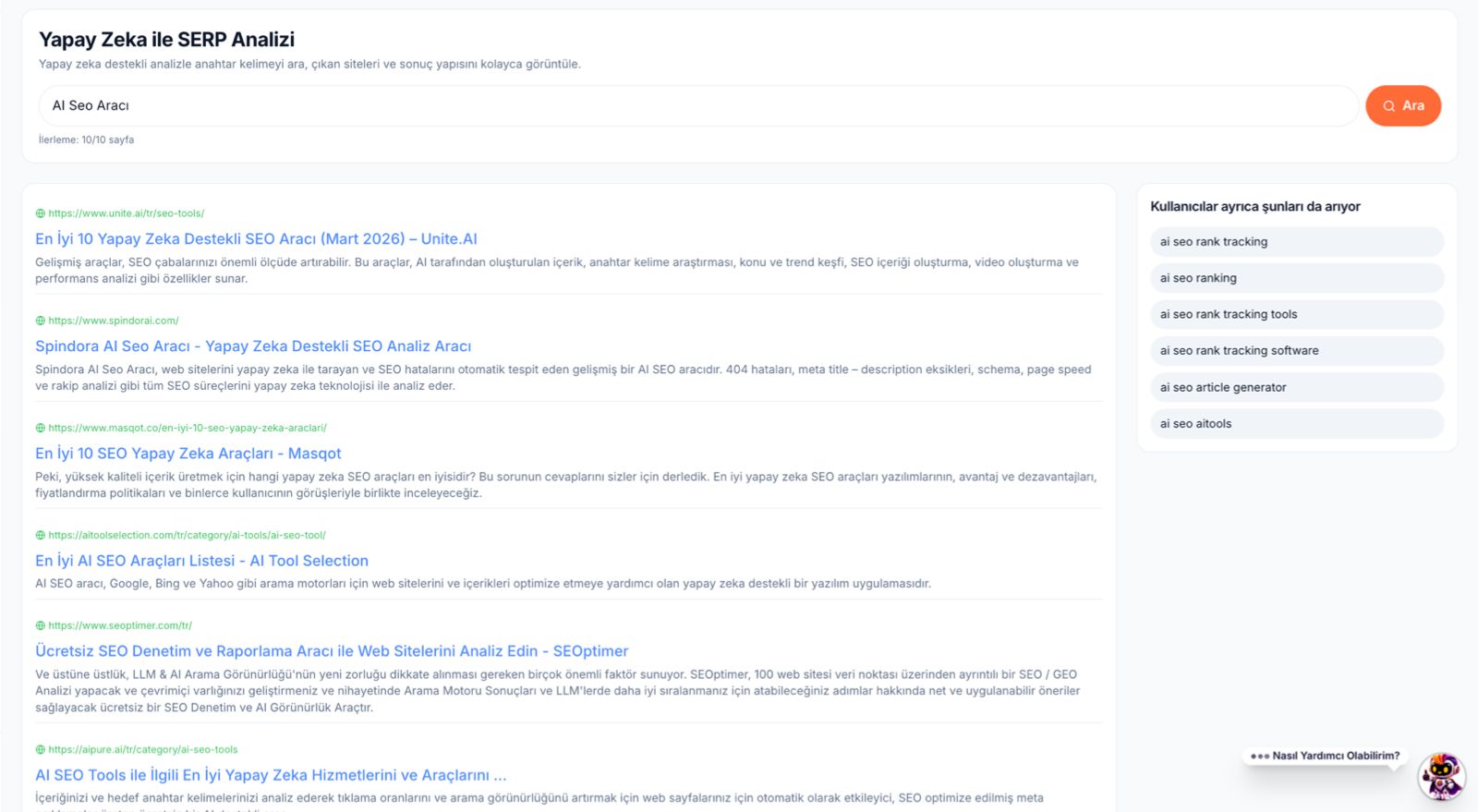
Extension module · 06
SEO Content Analysis reads the textual skeleton of the page for both search engines and users. H1–H6 hierarchy, duplicate headings, natural density and distribution for target keywords, readability hints, and content volume signals are shown in detail. Thin content or keyword stuffing risks are caught early. Editors use it as a pre-publish check for blogs, service pages, and product copy. It pairs with Top Search Volume Keyword Suggestions for planning. Free and unlimited. Unlike technical modules, it focuses on “what you say” to improve rankings and conversions through better copy.
Add to Chrome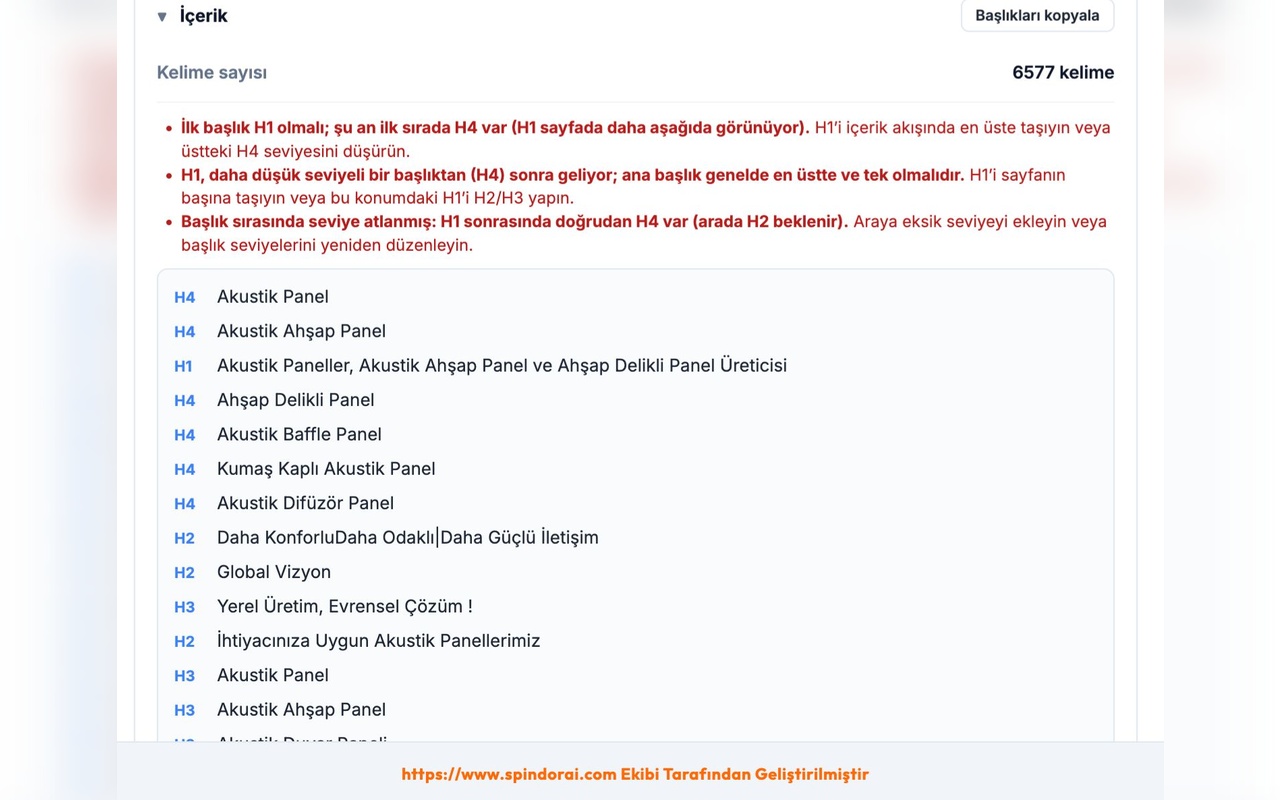
Extension module · 07
The schema module has two layers: it parses existing JSON-LD and lists types, missing required fields, and inconsistencies; Get Schema Suggestions recommends Product, Article, FAQ, Organization, and other types with field guidance for your page. Quick health checks before rich-result test tools. Critical for e-commerce, news, local business, and blogs. Directly affects technical SEO score; AI search systems also treat structured data as a strong signal. Free. Re-check after publish to catch schema regressions from production mistakes in one click.
Add to Chrome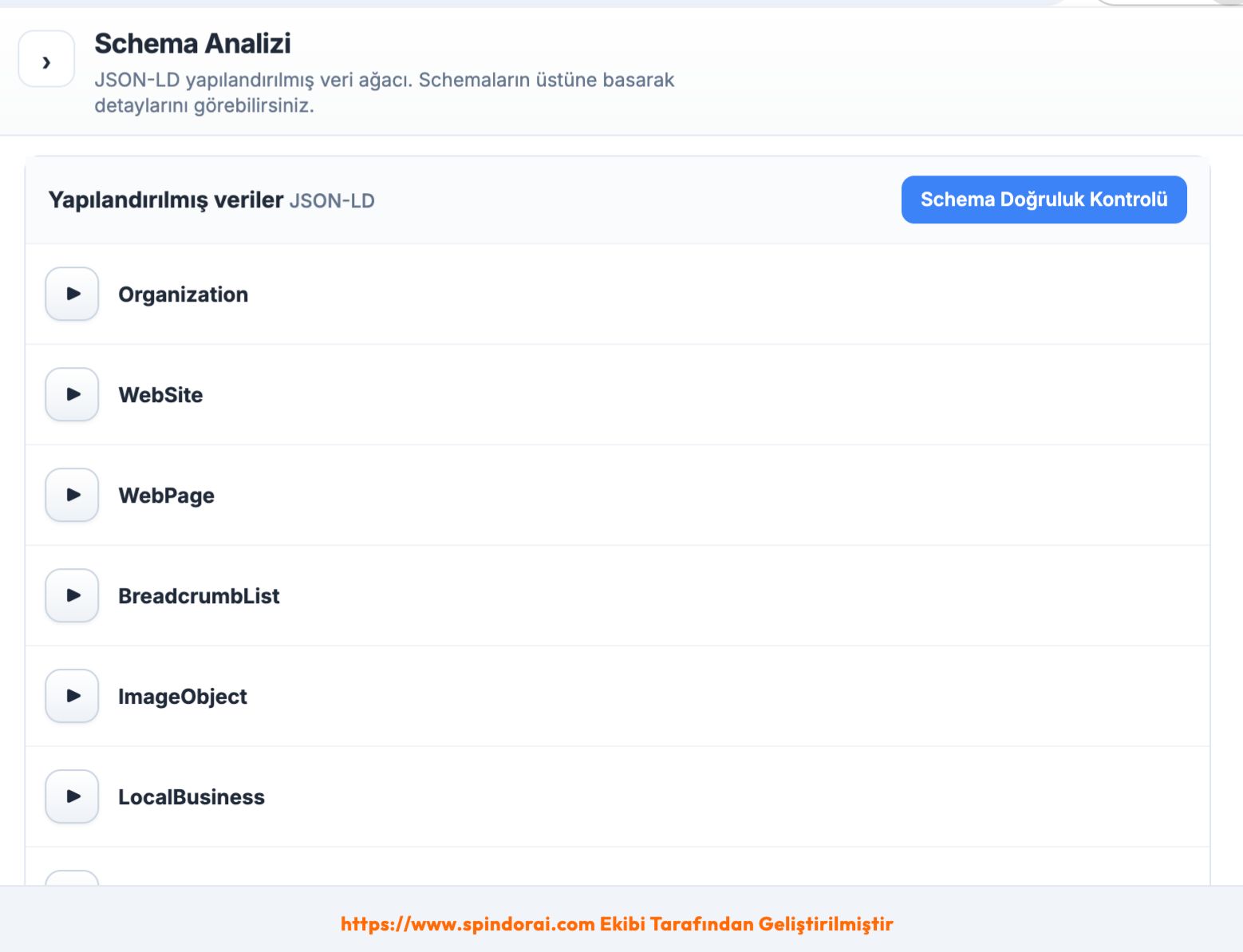
Extension module · 08
Premium Competitor Analysis places your URL and a competitor page side by side for the same target keyword context. Title, meta description, canonical, content length, H1 structure, alt quality, Open Graph, schema types, and keyword-based technical signals are compared in two columns. Areas where the competitor leads and you lag are highlighted with a prioritized action list. Built for pre-campaign benchmarks, leader comparisons, and client competitive reports. Requires Spindora Premium; combined with free technical modules it delivers a full competitive map. Instant analysis — re-run when the competitor page updates.
Add to Chrome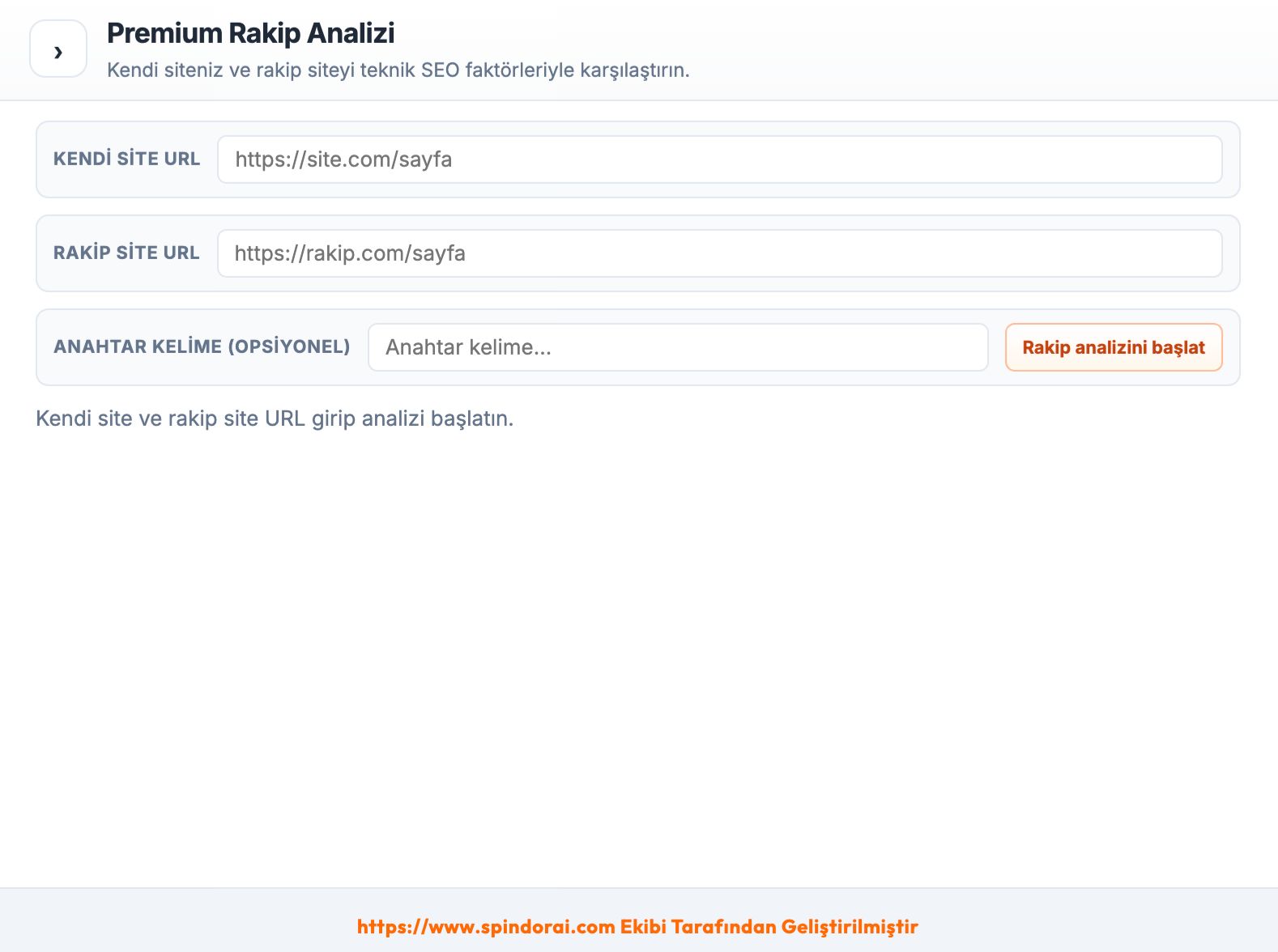
Screenshots are illustrative.
Overview
Automatic SEO fixer, technical analysis, indexability, and schema suggestions — on-page issues in one flow.
GEO (AI) analysis, GEO content analysis, and SERP preview — AI search and classic search together.
SEO content analysis, top keyword suggestions, and premium keyword technical checks.
Backlinks, performance, social preview, and premium competitor analysis — free modules unlimited.
What the extension covers
Turn detected on-page SEO issues into action with fix suggestions and Script Injector flow on the active page.
Title, meta, H1, canonical, content depth, OG, schema, image alt, and live technical score in one panel.
Check robots, noindex, canonical, and indexing blockers; see visibility risks for search engines.
See how AI search systems read your page — structured data and content signals from a GEO perspective.
Preview snippets for target keywords, SERP competition, and page–query fit signals from the browser.
Get high-volume keyword ideas and content expansion suggestions matched to the page context.
Evaluate H1–H6 hierarchy, keyword density, readability, and content-quality signals in one module.
Measure content structure, clarity, and structured-information fit for AI search and summarization.
List outbound and inbound link profiles, dofollow/nofollow split, target URLs, and HTTP status codes.
Page weight, image sizes, broken assets, missing alt text, and performance risk flags together.
Inspect JSON-LD types, missing fields, and rich-result readiness at type and field level.
Complete structured data faster with page-type-aware schema types and field recommendations.
Open Graph and Twitter/X card completeness, share preview quality, and field warnings.
Deep rule-based checks for title, meta, H1–H6, density, schema, canonical, and OG for your target keyword.
Access premium modules, advanced reports, and priority analysis layers with one subscription.
Side-by-side comparison
Compare your page vs a competitor URL side by side — titles, canonical, content, schema, OG, and keyword signals with a prioritized action list.
Your page
SEO skor
Competitor URL
Compare
You connect the extension with your Spindora account using a one-time linking code from the dashboard. See our Privacy Policy for data handling.
Yes — most of the extension is completely free with no quotas. Technical SEO analysis, indexability checks, GEO and GEO content analysis, SERP preview, SEO content analysis, schema analysis and suggestions, backlink review, social preview, and performance/image modules are unlimited. Advanced layers such as Premium Keyword Technical SEO and Premium Competitor Analysis require a Spindora Premium subscription; you do not need to pay for everyday needs. After installing from the Chrome Web Store, link your Spindora account once with a one-time code. Whether you are an agency, editor, or site owner, you can run daily page checks from the browser without opening extra tools.
After installation, follow the sign-in step in the extension panel. In the Spindora web dashboard, generate a one-time linking code in the extension section and paste it into the extension — your account is then matched securely. During the session, analysis history and premium rights stay tied to your account. Do not share codes; generate a new one per device if needed. If linking fails, confirm you are logged into the dashboard and try reloading the extension. Enterprise teams follow the same account policy; details are in support and privacy pages.
The official release is on the Chrome Web Store; Google Chrome is the primary and fully supported browser. Chromium-based Edge, Brave, or similar browsers may work with manual installs, but update and compatibility guarantees apply to Chrome. The extension follows Manifest V3 and is most stable on current Chrome versions. There is no separate Firefox or Safari build. Corporate proxies or ad blockers may limit some analysis requests — you may need to allowlist relevant domains. Check Chrome Web Store notes for the latest compatibility information.
The extension reads HTML and SEO signals from the page you visit; advanced modules may process this data on Spindora servers under our privacy policy. Personal data is not sold; limited telemetry may be collected for service delivery, debugging, and product improvement. Account linking uses HTTPS; the one-time code model avoids sharing long-lived passwords. GDPR and cookie policies are on the website. You can disable the extension on sensitive intranet pages or run it only on trusted URLs. Use the dashboard and support channels for deletion or export requests.
GEO analysis goes beyond classic Google SEO by evaluating how AI search and summarization systems read and interpret your page. Signals such as structured data, heading clarity, content integrity, and information density matter more for visibility in ChatGPT-style experiences. In Spindora, the GEO module works with GEO Content Analysis: one measures technical fit, the other text structure and AI-friendly formatting. You prepare not only for blue-link rankings but also snippets and citations in AI answers. Especially useful for info sites, SaaS, e-commerce categories, and expert blogs; results are generated instantly per URL.
The Automatic SEO Fixer does not randomly change your live site; it shows what would change first and offers controlled application via Script Injector or suggested snippets. Title, meta, canonical, or schema recommendations should not go live without editor approval — the tool is an accelerated diagnostic and fix assistant, not blind auto-publish. Use copy-paste or integrated flows depending on WordPress, custom CMS, or static stacks. Always test on staging when possible. Marked as a free Best Feature, it helps agencies batch recurring on-page issues in minutes; final responsibility stays with the site owner.
The free tier covers daily needs: technical SEO, indexability, GEO, SERP, content, schema, backlinks, performance, social preview, and keyword suggestions — no quota or hidden fees. Premium adds multi-layer technical scoring for a target keyword, side-by-side competitor comparison, prioritized action lists, and advanced reporting. Premium is preferred for competitive queries and agency client reports. It runs on the same account as the Spindora web panel; subscription details are on the pricing page. Start free and upgrade when needed; your data stays on your account across module changes.
Enter your page URL and a competitor URL; the module shows title, meta description, canonical, content length, H1–H6 structure, Open Graph, schema types, and keyword signals in two columns. It highlights where the competitor is stronger and you lag, and produces a prioritized to-do list. Ideal before campaigns, landing refreshes, or new keyword targets. Requires Premium; combined with free technical modules it builds a full competitive map. Results are instant — re-run when the competitor page changes. Agencies can export findings to PDF or panel reports for clients.
The extension runs when you open the panel or start an analysis; it does not constantly crawl in the background. The performance module measures page weight and image sizes while the extension itself stays lightweight. Very large DOMs or many tabs may make the first scan take a few seconds. Monitor memory in Chrome Task Manager and keep the extension updated. Conflicts with other extensions on corporate devices are rare. Use performance warnings for heavy images and broken assets — the tool helps you find causes of slowness rather than causing it.
Schema Analysis parses existing JSON-LD and lists missing fields and mismatched types. Get Schema Suggestions recommends types and fields for your page type (product, article, FAQ, organization, etc.) before you open rich-result test tools. SERP Analysis simulates how your page might appear for a target keyword — snippet length, title fit, and competitive feel from the browser. Use both before publishing new pages to validate structured data and search appearance. They are free modules you can add to daily routines for e-commerce and blog teams.
Cost comparison
Replace scattered subscriptions with one Spindora SEO Spider dashboard — plans from $4.38/month.
Old stack · Hello Spindora
Ahrefs
Backlinks & keywords
SEMrush
Competitor analysis
Screaming Frog
Site audit
Surfer SEO
Content optimization
Junia AI
AI SEO content
Moz Pro
Authority & keyword research
 One platform
Your full SEO workflow on Spindora — one screen, one payment.
Spindora monthly
Varies by plan · USD
from $4.38
Run deep technical and content SEO checks on every page you visit in seconds — a full diagnostic panel, not a lightweight widget.